
Bring field activity into one connected project-profit workspace.
Prospeno gives project-based service teams a practical mobile workspace for employees, supervisors, and other field roles—covering assigned work, project expenses, checkout reporting, and role-based field operations.
Structured field records connect back to the office view of project cost, accountability, collections, and profitability.
Good afternoon, Joel!
Here's what's happening today
Attendance
Next check-in: Automatic Sprinkler System Installation
0.0h
Hours Today
1
Open Tasks
Today's Tasks
View allInstall Smoke Detectors
In ProgressAutomatic Sprinkler System Installation
Quick Actions
My Tasks
View assigned tasks
Submit Expense
Add new expense
One connected operation
Field execution and office control should not live in separate systems.
The office assigns projects, people, and policies. Employees and supervisors perform assigned field work and submit records against the correct project. Authorized office users review operational and financial records before confirmed data contributes to project-performance visibility.
- 1
Office Setup
Projects, people, and policies
- 2
Field Activity
Assigned work and submissions
- 3
Review
Authorized office review
- 4
Project Visibility
Cost and performance insight
Give employees one clear place to start their field day.
The employee home screen surfaces assigned work, project context, attendance or current work status, and navigation to permitted field actions.
Employees use structured mobile workflows to move from their daily workspace into expenses, tasks, and checkout reporting—without creating their own labor cost records.
Employees must not self-record project labor hours, create labor cost, or start or stop project work timers from the Field App.
Good afternoon, Joel!
Here's what's happening today
Attendance
Next check-in: Automatic Sprinkler System Installation
0.0h
Hours Today
1
Open Tasks
Today's Tasks
View allInstall Smoke Detectors
In ProgressAutomatic Sprinkler System Installation
Quick Actions
My Tasks
View assigned tasks
Submit Expense
Add new expense
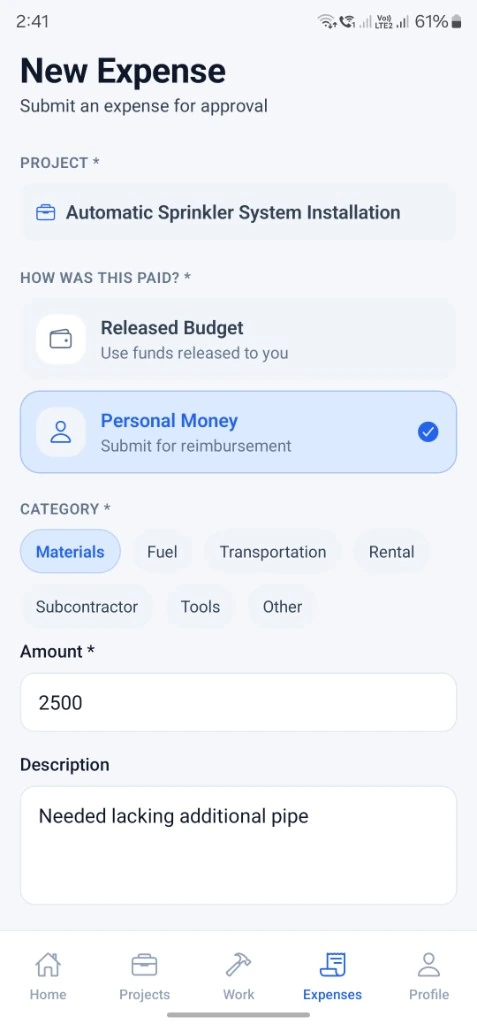
Capture project expenses where they happen.
Field users select the correct project, record amount and category, add a description, and attach receipt evidence where supported before submitting the expense for company review.
Expense submission is independent of attendance. A submitted expense is not automatically approved.
Expense approval is Admin-only. Managers cannot approve expenses in Prospeno.
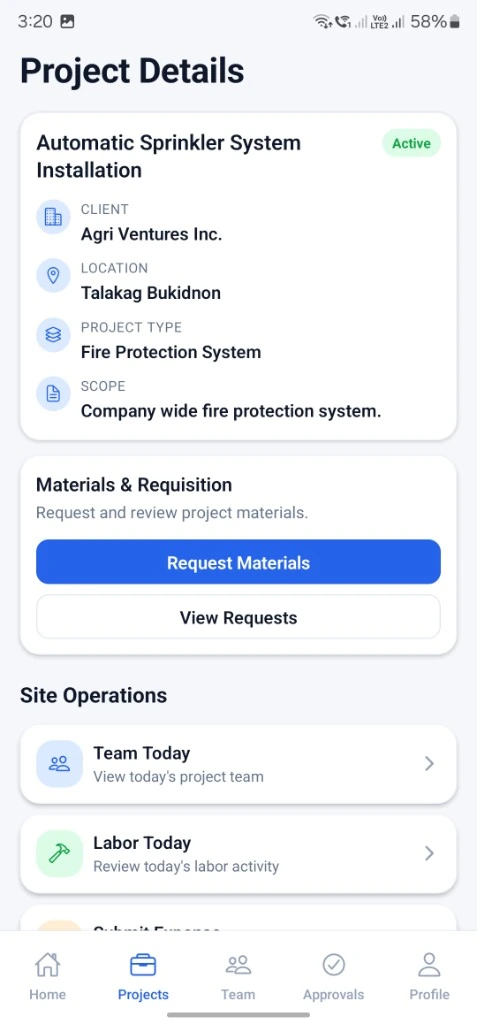
End the shift with a structured field report.
Checkout reporting summarizes completed field activity for the active check-in, including accomplishments, issues, and progress notes where the workflow requires them.
Structured checkout information supports accountability against the correct workday or assignment before the employee completes check-out online.
Checkout requires an online connection and does not automatically create approved labor cost without the appropriate office review workflows.
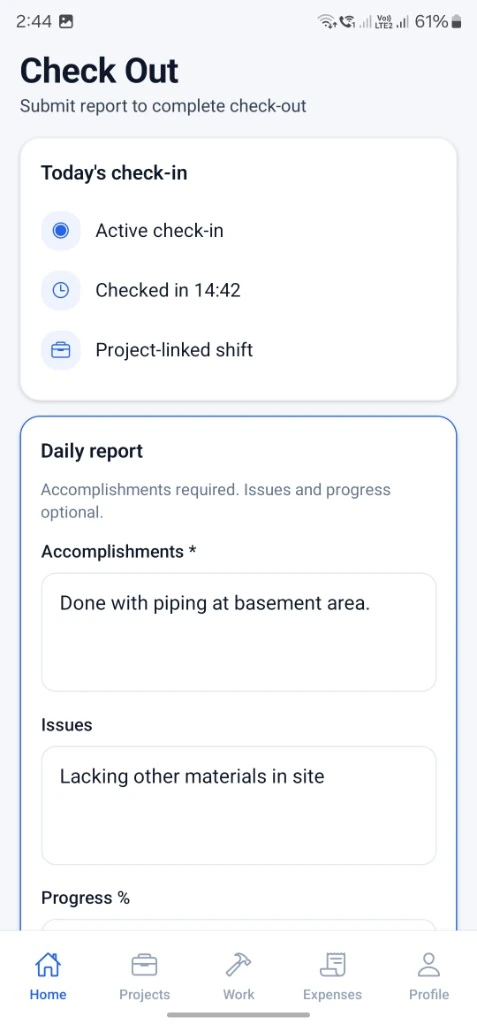
Give supervisors a clearer view of field activity.
Supervisor home surfaces assigned site and team work, project visibility within scope, and faster access to the field operations they are permitted to manage.
Supervisors can support structured oversight from mobile—reviewing project context, team activity, and operational items that need attention without leaving the field.
Supervisors manage assigned workers and projects within permission boundaries and may create Project Work Logs where allowed. Expense approval remains Admin-only.
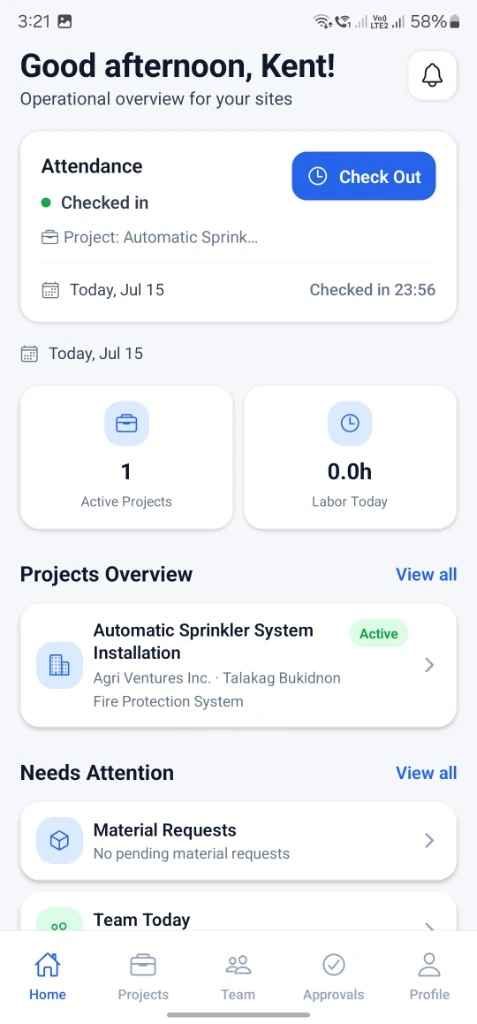
Keep project context available on site.
Project details bring client, location, scope, and site-operation entry points into one mobile view tied to assigned work.
Field users see the project they are working on—not a disconnected task list—so expenses, materials requests, and site workflows stay connected to the correct job.
Available controls follow company role and module settings. Prospeno does not invent permissions beyond what each role is authorized to perform.
Role-aware access
Field operations follow company role boundaries
Employees, supervisors, managers, and admins each see the mobile workflows their role is permitted to use—without blurring financial authority.
Employee
- Performs assigned field work
- Views assigned tasks or work
- Submits permitted updates and evidence
- Submits project expenses
- Completes attendance and checkout workflows where allowed
- Must not self-record project labor
Supervisor
- Executes assigned site or team work
- Manages assigned workers and projects within allowed scope
- May create Project Work Logs within permission boundaries
Manager
- Manages permitted projects and operational workflows
- May record Project Work Logs
- May approve materials
- May not approve expenses
Admin
- Full company authority
- Manages assignments, roles, and policies
- Expense approval is Admin-only
Practical connectivity
Designed for practical field connectivity
Supported drafts and queued workflows are being built carefully, but authority-sensitive actions remain server-validated.
- Attendance requires an online connection
- Checkout requires an online connection
- Approvals require an online connection
- Billing and authority-sensitive changes require an online connection
- No local item should appear submitted until server confirmation
Secure company access
Field access stays inside the company workspace
- Authenticated access
- Company-isolated data
- Role-based permissions
- Server-validated authority
- Account-scoped device records
- Protected field submissions